Welcome to DV LED Australia !


 LED Knowledge
Why Do Channel Letters Have Bright Spots and Dark Areas?
LED Knowledge
Why Do Channel Letters Have Bright Spots and Dark Areas? 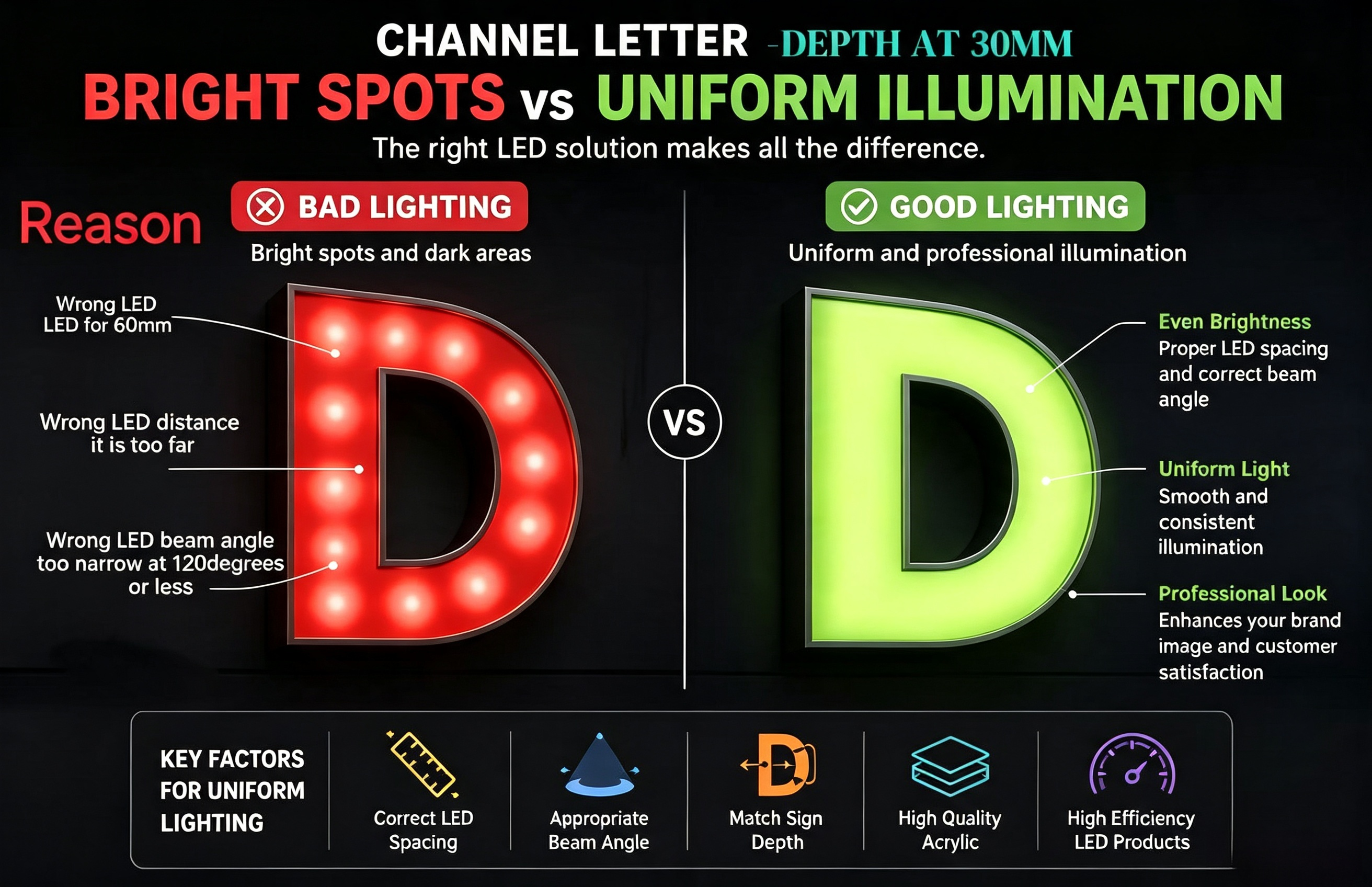
One of the most common problems in illuminated signage is uneven lighting.
Instead of producing a smooth and professional appearance, channel letters may show visible bright spots (hot spots) or dark areas, especially at night.
These lighting issues not only affect the appearance of the sign but can also increase maintenance costs and reduce customer satisfaction.
Fortunately, most of these problems can be avoided by selecting the correct LED lighting solution during the design stage.
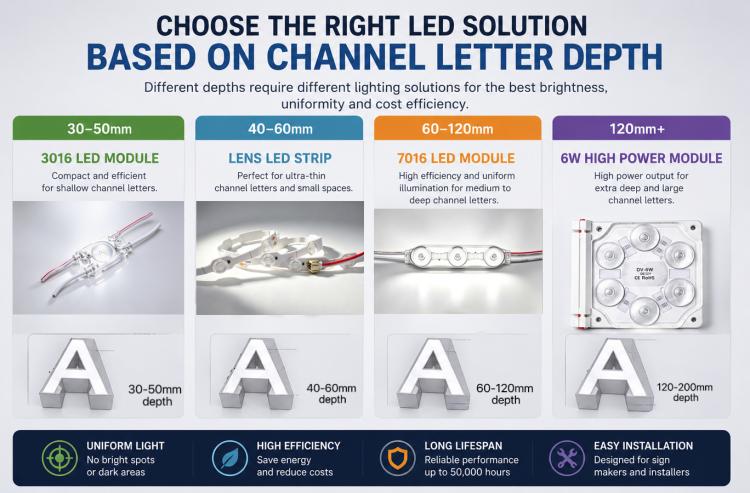
The most common reason for bright spots is improper spacing between LED modules or LED strips.
When LEDs are installed too far apart, individual light sources become visible, creating bright circles with dark gaps between them.
If they are installed too close together, the sign consumes more power than necessary without significantly improving illumination.
Recommendation
Choose LED products that match the sign depth and follow the recommended installation spacing.
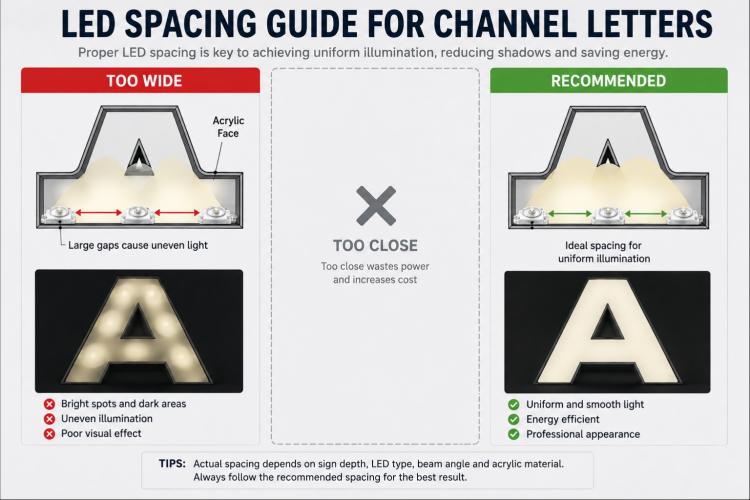
Different sign depths require different lighting solutions.
Using the wrong product often results in poor light distribution.
| Sign Depth | Recommended Solution |
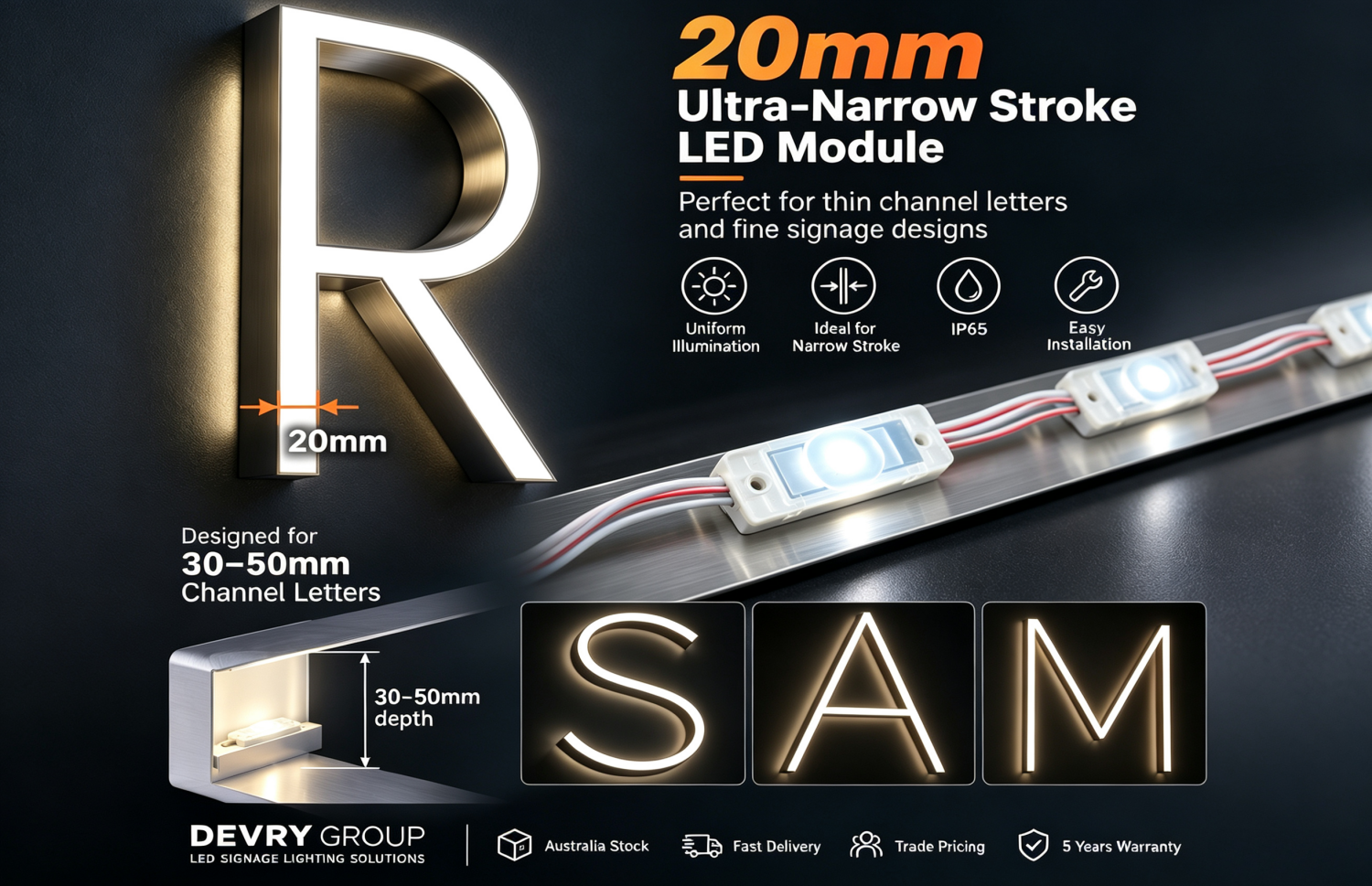
| 30–50 mm | 3016 LED Module |
| 40–60 mm | Lens LED Strip |
| 60–120 mm | 7016 LED Module |
| 120 mm+ | High Power 6W LED Module |
Selecting the correct product greatly improves lighting uniformity while reducing power consumption.
Beam angle plays an important role in achieving uniform illumination.
A narrow beam concentrates light directly beneath each LED, making bright spots more visible.
A wider beam spreads light more evenly across the acrylic face, reducing shadows and improving overall brightness.
Always choose a beam angle suitable for the sign depth and application.
Even with high-quality LED modules, poor acrylic materials can cause uneven lighting.
Low-transmittance or inconsistent acrylic sheets reduce light diffusion, making individual LEDs more noticeable.
For professional signage, high-quality diffusing acrylic should always be used.
Luminous efficiency directly affects lighting performance.
Higher-efficiency LED modules produce more usable light while consuming less power.
For example:
· A standard Lens LED Strip typically delivers around 105 lm/W
· A high-performance LED Module such as the 7016 can achieve up to 180 lm/W
Higher efficiency allows greater spacing between modules while maintaining consistent illumination, reducing both installation costs and energy consumption.
To achieve professional-looking channel letters:
✔ Select the correct lighting solution based on sign depth.
✔ Follow the recommended LED spacing.
✔ Choose an appropriate beam angle.
✔ Use high-quality diffusing acrylic.
✔ Select high-efficiency LED modules for medium and deep channel letters.
Proper design at the beginning can significantly reduce installation problems and maintenance costs later.
Why are my channel letters showing bright circles?
This is usually caused by excessive LED spacing, a shallow sign depth, or a beam angle that is too narrow.
Not always.
Adding more LEDs increases power consumption and installation cost. In many cases, selecting the correct LED module or beam angle is a more effective solution.
For most channel letters between 60 mm and 120 mm, a high-efficiency LED module such as the 7016 provides excellent brightness, uniform illumination and lower energy consumption.
Uniform illumination is not achieved by simply using more LEDs.
It depends on selecting the right combination of LED product, module spacing, beam angle and sign depth.
Understanding these factors will help sign makers produce brighter, more professional signs while reducing installation costs and improving long-term reliability.



 04 5984 4358


